Talking about sound design has seemingly become taboo in some areas (and at times, a little on the toxic / gatekeeping side), and I want to change that. Not so much by writing extensive guides or regurgitating textbook explanations, but by creating a space for conversation, demonstration, and solutions that can get you back on track with making stuff and thinking outside the box. Or as I like to call it, the seemingly ‘lost art’ of sound design.
(Also, I’m hoping others want to play - there’s plenty of room for everyone! Also if this thread is too similar to anything else, feel free to nuke it )
Maybe some of us know what an LFO or ADSR envelope does, how vector synthesis works, how to create a basic modular rig or some other concept – but, let’s be honest - if you don’t, you’re probably in the majority. You don’t need to know any of this stuff in order to make great music or even wonderful sounds - but when you need to know a concept or rig something up, sometimes it’s hard to get help. People can get kind of shitty about questions sometimes, but here, it’s different™.
There are also no ‘dumb’ questions.
Based on a few recent discussions, I figured we could create a thread full of:
Sound design questions and answers (even those related to your DAW of choice)
Synthesizer / VST plugin patching fundamentals
Modular and tracker-specific concepts
Cool sounds and patches you’re working on
Video and audio demonstrations
Unconventional sound design techniques
If any of that sounds like a good time, I’ll be a frequent contributor here and I’m hoping this enables people (myself included) to continue learning about all things related to sound design!
I’m going to start with a very general question that I hope people won’t mind answering: what is your sound design process, broadly? Do you mostly start with synths (what kind, which ones)? Samples (where do you get them, how do it edit or process them)? What environments/VSTs do you like? Are you usually looking for a specific sound already in mind or do you play around and get inspiration from what comes out? Do you have any go-to techniques for getting started when you sit down to design?
I think whether you’re making house, dnb, idm, weirdo experimental noise, or whatever it’s still mostly the same general tools under the hood and I’m interested in how people in different genres approach the overall process, and hope other people might get some good ideas or different approaches for their own music. I’m mostly just curious about how other people go about the whole thing.
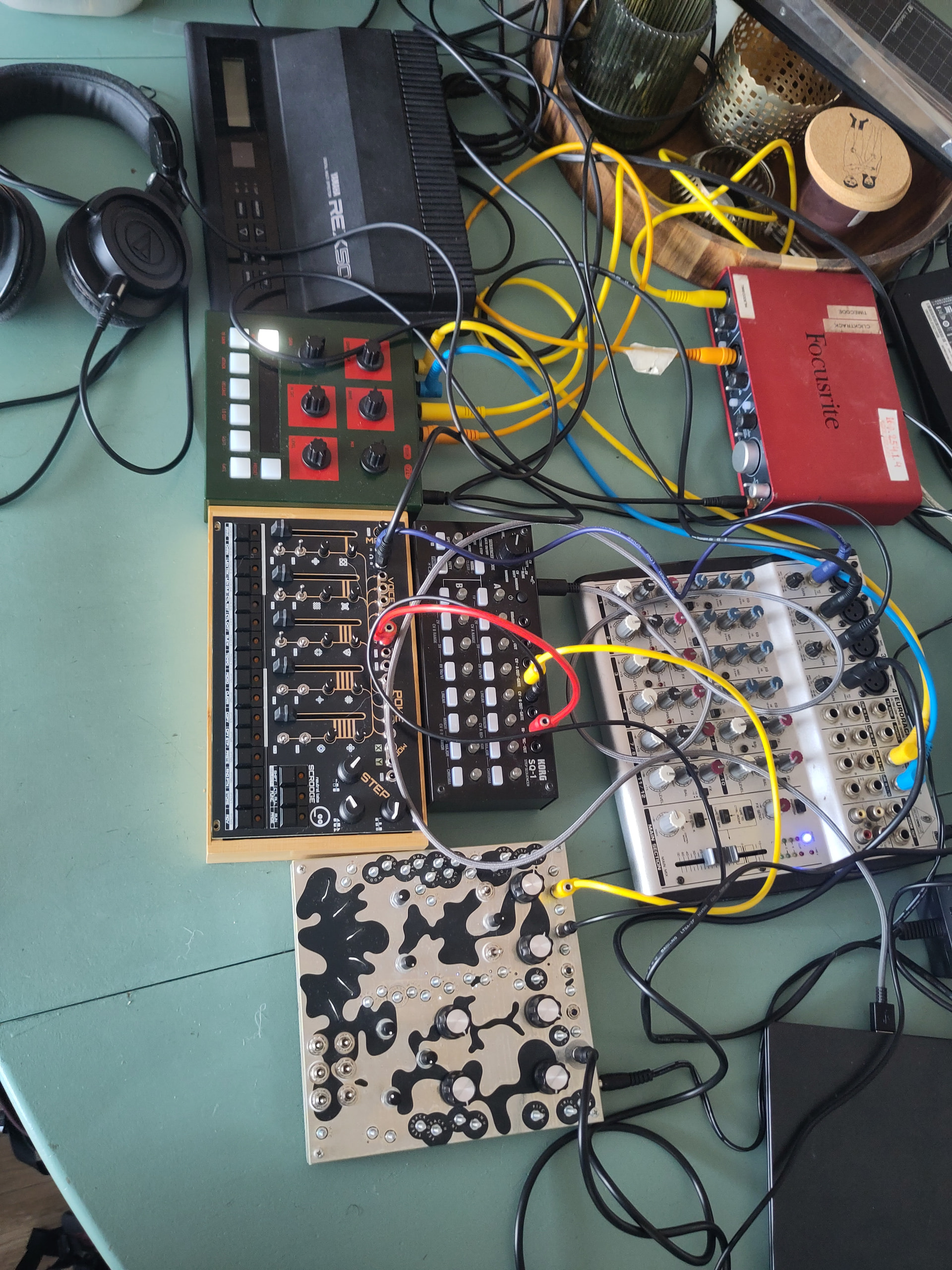
I spend a lot of time gathering sound from all sorts of places, be it field recordings or electrostatic noises (using Soma Ether for example), and I’ll do experimental setups using hardware. I’ll just experiment and try different combinations until I find something that excites me, and then record freeform sessions of noisemaking. Recently I’ve also been doing a bunch of experiments using Soundthread and Blockhead to get interesting textures and noises.
The recordings end up in my ever-growing folders of loosely categorised sounds.
When I go into song finishing mode, I usually build tracks by assembling beats out of these noises, chopping and layering then, combined with tons of EQ, filtering, saturation, compression, etc.
Cycling small snippets of a noise sample either in any synth as a custom waveform in an oscillator or granular synthesizer is my favorite thing to do…
My second favorite is cranking the bpm up to past 500bpm sequencing all the different parts of a sample and layering the retriggers together with different automations and fx treatments…basically turning a beat slicer and daw into another synth. Like a manual granular theremin synth aka a manual buffer override effect.
Sometimes I used Edison to record real time macro manipulations of the process like the subdivisions of the retriggers… and continuously resample the sound and pitch shift and eq…bouncing and freezing.
There’s probably a way to code to be able to do such…so that it’s less CPU intensive as opposed to doing this in a daw.
And convoluted reverbs are best for creating soundscapes.
But to get a choir vocal formant pad…it’s literally an arpeggio, legato, riff…with each note having a filter envelopes…and fuckloads of reverb and delays…
Sometimes I play with the stereo separation and chorus or flangers so that sound doesn’t sound hollow and is thicker.
Sometimes I used to record my soundcard whenever I used my computer to watch a YouTube vid or movie…its way less of a hassle and less chance of getting a computer virus and cheap to.
And I use to use mostly stock plugins…with the exception of a few outside things like dynamic eq, glitch stuff, sample reverse, glitch plugins, pitch shifters…and panning delay plugins.
CPU or time? Sometimes you’d be surprised at how intense a process can be no matter how you do it (depending on how optimized the software is), but automating for your own sake while you do something else is always an option . DAWs always feel like the top-tier of optimization for me, but of course doing things by hand can take a lot of time!
Never heard of it, or of GRM Tools. I’m not on a Mac so I can’t try it out. It looks pretty, no idea how useful it is. Apparently the modulation is the big thing but I can’t find any technical details about it. In fact, I can’t find much in the way of technical details about any of it. The website feels like a modern marketing sales pitch (not that that’s weird, just that I can’t tell what $200 actually gets you).
My big concern is what looks like a limited ecosystem - there’s no low level access/API so you don’t seem to be able to build your own modules, and there’s no telling when GRM will release new ones. You’re left stitching together what the give you, and maybe that stuff’s awesome but I can’t really tell from their website.
I do like that they don’t try to rent it to you - one time purchase is a golden unicorn these days lol
I’d be interested to hear what this brings to the table over something like Reaktor (with 15+ years of free community patches) or Cardinal or just using similar plugins in a DAW. If you give it a spin I’d love to hear what you think of it and how it fits into your workflow.
I hadn’t seen it was mac only yet. I’m on windows unfortunately. If they end up releasing for windows I would definitely demo it. The interface does look very appealing, though of course that can be misleading sometimes
It has a setting called transient slice…where it automatically chops up a sample and assigns a note on the piano roll.
I can create a pattern where different sections of the sample retriggers and layer them in a weird sequence…
But also automate the time stretch in the granulizer while playing with the retrigger note subdivision rhythms and the note length…
If could script it to play with other granular sampler settings simultaneously in real time I would probably break my laptop but causing it to crash because the CPU cant handle it.
I had a shower idea for a sound last night I want to put in writing here before I forget.
Play a standard synth chord sound through a slow-ish phaser or flanger, and then sample it and put it into either a granular synth or maybe something like Slicex triggering random slices of the sample. Maybe even sync it to a bassline of 16th notes.
You actually don’t need to script for that; if you open it in Patcher, you can just start activating controls on the Granulizer. Formula Controller is optional, but handy. (a + b) * c is your guide
You have no idea how happy I am that they finally made it compatible. I’m pretty sure I wrote a lot of things on here about how you couldn’t put Granulizers inside Patchers and it finally fucking happened. Praise the lord
Where it says time on the granulizer…turn on the loop function. And also automate the sample start.
Second tab. Is the time stretch knob you can automate that as well.
What’s incorrect is the lack of using the piano roll and inputting all the layering all the different note subdivisions for each note keyed to a sample transient.
And drawing all the automations for the granulizar parameters according to the beat in the piano roll
And layering notes while manually creating a delay in the piano roll. You can layer the same notes together with a continuous .0001s delay…and adjust the note play length manually or adjust the beat length manually….
In other words manually creating a latency and having multiple layers of the same sound play simultaneously whilst manually adjusting the degree of the latency.
I hope that I’ve properly articulated clearly enough so that you can combine and utilize my method alongside with your scripting and patcher abilities.
You will have all us gooning over said sound design sessions as documented by your YouTube vids.
This might be where the scripting comes in handy, so you were probably right originally that it would go in that direction . I’m starting to think the machine might need 16 channels, too (piano rolling gives you access to all of the channels via colors now), but this is going to be really absurd if I expand outward from there
Also I don’t know if anyone wants to play with the iterations, but I can upload what I’ve got so far if anyone wants to. The next one might be a rebuild from scratch, so having them around could be fun. I think it’ll run even in demo versions, and I think saving presets even works in the demo. I don’t know how it handles some of the newer features, but I bet you can still copy and paste stuff no matter what tier you’re on
This is sort of what I was going for internally, but the iterative visual approach sounds way more fun. I might still end up doing all of the modulations with Formula Controller because I sort of hate automating in FL Studio (unless that can also be hard-scripted, which would be awesome), but I think machinelike perfection will prove to make really interesting ‘starter’ sounds, and then adding optional human input might really expand on it and make it feel more like an instrument that can be messed with afterward.
The only thing that kind of sucks is that samples don’t save across presets, IIRC. So reloading might be a bitch
 )
)
 . DAWs always feel like the top-tier of optimization for me, but of course doing things by hand can take a lot of time!