The Epic Hardware Megathread

their sales can be pretty crazy.

Also, the store manager at Dallas, actually, told me they’re working on opening a store down in Austin if you’re down that way.

Given that it still showed in stock I bet someone walked off with it. They only keep Raspberry Pi stuff under lock and key. Even a $7 Pico 2 W lol.

I learned today that the ESP32 boards have a feature called ESP Now which is a wireless packet radio communication link separate from WiFi or Bluetooth and there’s even a MIDI thing for it. That saves pins for more fun things and reminds me of my thought earlier of having a single ESP32 controlling a bank of 8 encoders.

Quite a bit north of Dallas, out in the middle of nowhere lol. I’m just there for business a couple times a year. Good to know Austin will be an option if I pass through there. I’m a little shocked they don’t have one already given what a tech haven it’s become.

I hadn’t seen that, it looks neat. The bit of reading I did made it look like you need an ESP32 endpoint hooked up to the computer as a receiver, but those things are so cheap it’d make sense, especially if you had several peripherals sending to it. Seems like you could have a whole stable of ESP-Now controllers connected to a PC.

the demo I saw just showed two ESP32s on opposite breadboards with nothing connecting them

here’s a tutorial site

I guess we should continue this in the other thread :eyes:


Related to my Axoloti project, I discovered while trying to get a button to trigger an envelope that having a button send a CC at max/127 is fun for sudden effects XD like a filter screm, etc.

EDIT BOOOOO THIS PATCH IS TOO COMPLEX TO FIT INTO INTERNAL RAM after I added the 6th FM machine of madness.

I guess I will need a Ksoloti eventually ¯_(ツ)_/¯

EDIT 2 lol I deleted the handful of modules the dude had dedicated to the hardware input processing and got the patch to load :smiley: I saw it said it was 2000 bytes over

…damn sometimes this patch gets out of control noise-wise, all the limiter modules are… weird, and don’t quite seem to work how I want a limiter to work :eyes:

But mapping the rows of buttons along the bottom to the MIDI CC of the knobs above them was a stroke of genius. They all momentarily max their CC for all kinds of fun things.

Here’s the patch if anyone wants to play with it. You can adjust knobs in the patcher but it kinda sucks. I took the time to show how it’s all mapped on my Launch Control XL3. TL;DR - Oscillators/Machines 1-5 are all mapped the same, and 6 is being a lil bitch and not working because I can’t figure out how to activate this crazy FM module…

Patch back up, and I got the big FM oscillator working :smiley:

Linking to the folder so you can just grab the .axp patch file and pictures of the control mappings and if/when I update it’s just right there. I MAY try to add Clouds but the OG Axoloti RAM is STUFFED right now lol. I might be able to optimize things because there are some offset attenuators in there with no controls mapped and maybe using constants would free up some memory. I’ll have to test it at some point. Before that I’d add stereo panning or something.

EDIT THIS THING IS FUCKING AWESOME lol

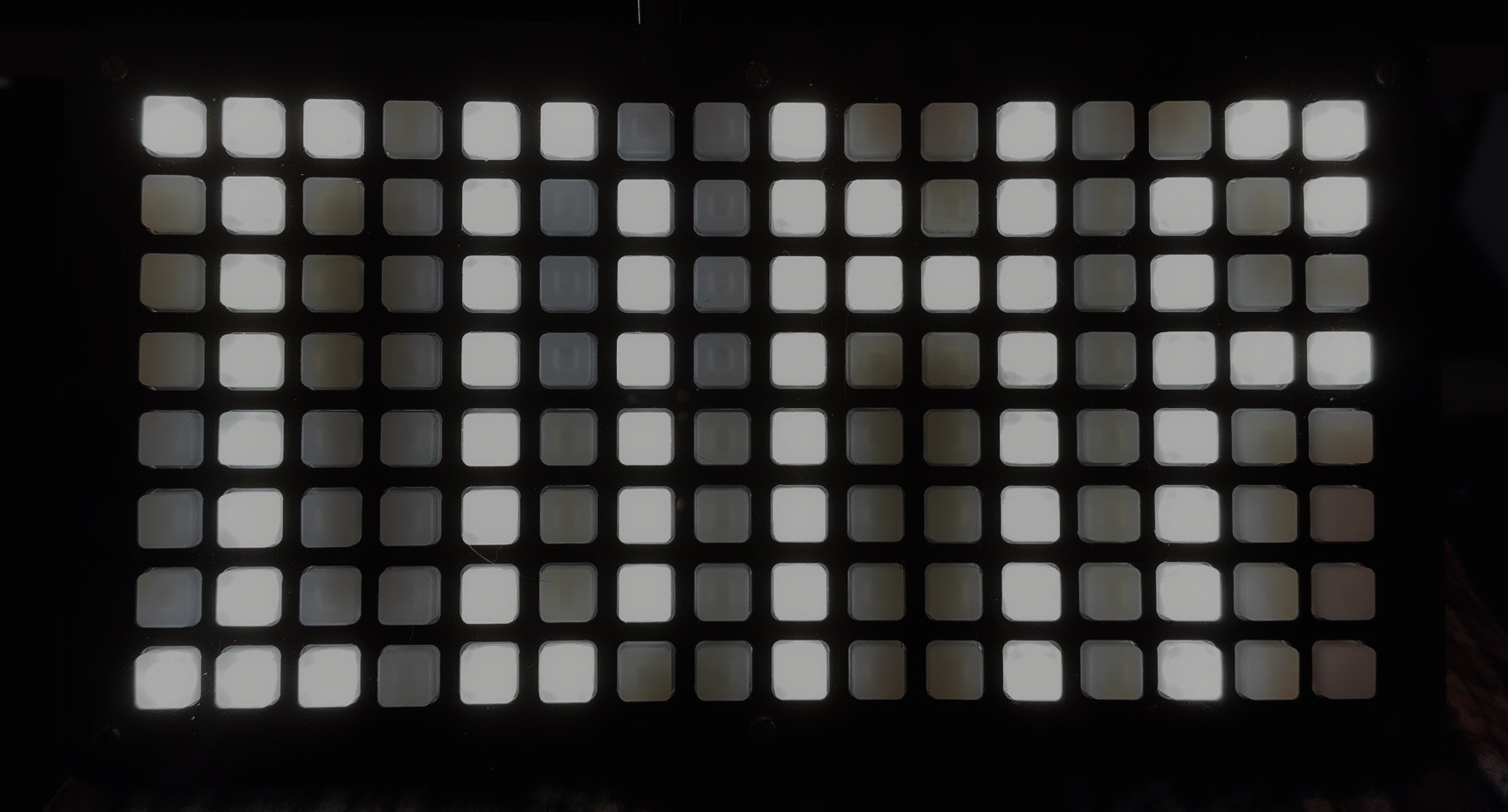
Now I have an 8x16 grid controller

2 Likes

new synth from ASM

JFC it is expensive AF though. $1800 for the desktop module, $2500 for the 61 key version

Yeah, I noped out when I saw the price. I guess it’s more because there’s analog filters now. Otherwise I’m having difficulty justifying the cost because it uses a lot of the same hardware and algos as the Hydrasynth. So it’s not like they have to recoup as much in the way of tooling or r/d costs as they would have when the Hydra came out, unless they spent way more on r/d for the unique features on this one. I personally don’t see it.

1 Like

Hey maybe someone can sanity check me here (maybe @Manton would know about this since he does pro av setup).

The prices on used radial pro D8 units have gone insane in the US, pushing $900 for 8 channels of passive DI. I love my pro D2, but I can literally pick up 4 of those for less than one pro D8 with all the same noise protection. I just lose the spare input per DI channel.

OTOH, Radial’s SW line is still reasonable. I can get an SW8, which necessarily has two inputs per channel (a nice bonus) plus the ground lift I need, and it’s under $500. Are there any gotchas here? The SW8 is active compared to the complete passive D8. But as long as I’m not opening myself up to noise or other issues, I think the SW8 can do what I need in a studio setup.

The prevailing wisdom I’ve always heard is “active output, passive DI; passive output, active DI”. Though that was in the days before $900 units lol.

Active DI has a powered preamp after the transformer (usually an NE5534 opamp or similar), and all that suggests. Like with any preamp, the signal is stronger, it can potentially introduce noise depending on the signal, circuit, and other factors, and it can color the output (in fact some active DIs advertise this as a feature). If you’re good with all that, it should do what you need.

The real purpose of a DI is impedance matching and unbalanced to balanced conversion. The noise rejection is just a byproduct of sticking a transformer and ground-lift switch in the signal path. It’s likely to work but seems like an expensive solution for a problem that could maybe be tackled with some troubleshooting and simple fixes.

Thanks. I’m open to suggestions if I can talk a bit more about what’s going on. Sorry in advance for the wall of text here.

As far as I know, all units in question are functioning properly. In my setup I have 4 synths that I’ve had without issues for a few years (Moog One, UDO Super 6, Expressive E Osmose, and Twisted Electrons Mega FM mk II) and a Roland Tr 1000 I just added recently. I have an Octopre Dynamic to bring more inputs online via ADAT. My main interface is an RME UCX II. I have a Samson 48 point TRS patchbay. All audio connections are with TRS cables, mostly Hosa. I recently cleaned all the cables/sockets (except for the outputs on the actual hardware) with Deoxit as I was having intermittent connections with a few cables just before I got the Roland.

For power, most units share a basic cyberpower rack mount power strip on the lowest level of my rack. I’m pretty fastidious about keeping power cables and audio cables separate, and keep any external power supplies on the ground.

I have a radial Pro D2 in the patchbay with the Moog One normally going through that to inputs 1 and 2 on the RME. That synth is a bit noisier than the rest and the D2 helps noticeably with that noise when it’s idling and sounds much more natural than the internal noise gate on the Moog. It also sounds a bit better in general, which isn’t what I bought it for. But I do find it difficult to give that up and run that on something else. It would be nice to have this on all my inputs, but at current prices that’s not really reasonable.

Before getting the Roland, I could run and record everything at once with no noise issues whatsoever. The noise floor was entirely inaudible. Now, I will grant that Focusrite channels are not going to be as clean as RME channels - I expected that. But, what I didn’t expect was that merely powering up my Octopre with no gain on any channel would feed noise into my RME. And not via ADAT, via the inputs my Roland now occupies. This noise is intermittent and seems to settle after a few minutes.

If I plug the USB cord of my UCX II into my PC, there is a much more pronounced and consistent noise floor on the same inputs. It doesn’t matter if the Roland is powered on or not, nor does the Octopre affect this. So I have two separate noise sources somehow finding their way to inputs 3 and 4 of my interface regardless of what else is powered on.

BUT, if I run the Roland through the Pro D2 - no noise at all. So maybe this is a cable issue? The only thing I can think of is the Hosa cables on the outputs of the Roland are plain black, and all my other ones are thinner colored ones. So maybe those don’t have the same shielding? But even if that were the case, I didn’t have the USB noise issue before when those same cables connected my Mega FM to the same inputs. And I used my ADAT interface before as an FX return occasionally and didn’t have noise issues there either. But I know they go away if I DI this thing.

So at that point, before I saw the prices of a Pro D8, I thought it would be nice to get a few of these channels that I know sound nice and fix this problem. I’m not really interested in throwing 4 Pro D2s on my floor, but I could find space for one more and hope that if I add any more items in the future I don’t have this problem again. But that combination of just plain nice sound and future proofing for some loosely planned expansion is why I was interested in these higher input count rack units.

Wow, that’s a lot going on. A lot to troubleshoot, but a couple of questions stand out based on your description.

  • Just to confirm, as it’s set up right now does everything work like you expect if you take the Roland out of the equation, and if so, under what conditions - just powered off? completely unplugged?

  • What does the noise sound like? Is it a hum, white noise, data chatter (like pulses of noise), or something else? Is it the same in every situation?

  • Are there any unbalanced connections (the actual outputs, not the cables) in the setup?

  • What does the power situation look like? Are your wall outlets grounded? What things are plugged in where? (be as descriptive as you were with the audio cable routing) Have you tried moving where things are plugged in and seeing if it changes anything?

If I had to just throw out an answer blindly, I’d guess one or more ground loops. But a little diagnostics should point us in a better direction.

The main outs from the Roland being unplugged from the interface or run through the Pro D2 with ground lift resolves all issues. I will double check this when I’m home in about 12 hours. Power to the Roland doesn’t affect whether I will hear the noise or not.

The noise from my ADAT interface is data chatter, but the noise from my USB is primarily ground with some extra squeal thrown in on top of that - I assume from the laptop’s PSU as that is a switchmode power supply and is probably not as noise regulated as the rest of the power supplies in the system. The USB noise is much less with the laptop running on battery, but it’s older and battery life is prohibitively short for a recording session.

The outputs of the Super 6, Mega FM, and Osmose are unbalanced (I knew about the S6, but was actually surprised when I just looked up the other two). Ironically it’s only my Moog and Roland that are actually balanced outs. Not mentioned before, I have a Radial EXTC Stereo for effects pedals, which is balanced in/out as far as my interface and patchbay are concerned. It’s obviously unbalanced on the pedal side, but that is converted back to balanced before coming to my interface and has its own ground lift.

My wall outlets have the ground prong, but are not grounded as far as I understand. Ultimately, everything is coming out of one outlet. I have a 2 to 6 adapter in my wall socket which is where my laptop (external supply), headphone amp/dac (RME ADI 2 Pro, external supply), the Super 6 (internal supply), the Mega FM (external supply) and the cyberpower plug strip are plugged in. Then the cyberpower has the moog one (external supply), RME UCX II (external supply), Octopre (internal supply), Osmose (external supply), radial EXTC stereo (external supply), Cioks 5 pedal PSU (internal supply), roland (internal supply), a USB charger I use for some medial equipment on the front (has not moved in years), and temporarily a multi-voltage switchable PSU I’m using until a one-spot comes in for a high current pedal. I use a squid to be able to get more of those wall warts plugged in than would otherwise fit.

The entire room is a single circuit, and the only other things on the circuit are my lamp (which does not affect the noise), a noisemaker (only on while I sleep, so not affecting this) and an alarm clock. There’s an in-ceiling light as well with LED bulb, which I haven’t thought to toggle.

More or less, yeah. All my basses are active but I only have one passive DI. The rest are built into my preamp pedals. My Walrus Audio Canvas DI is passive and you lose about 20dB. Not a problem with most active preamp basses which are sometimes really hot but you can get away with it even on passive basses because mic pre.

As an aside it’s more than just a DI and has some nifty tricks up its sleeve. It’s the stereo model so it can sum to mono, it has a Line Isolator mode for converting unbalanced low impedance signals to balanced with no volume drop.

My Zoom B6 actually models/sims 4 DIs, one of the only things I’ve ever seen that does this. Two tube DIs and two SS DIs.

But I digress

Well I think we’ve found the solution. Sell the Roland :joy:

But just to be super duper clear - everything’s set up normal, you turn everything on EXCEPT the Roland (it’s plugged into the outlet but not powered on), and it’s noisy? If so, what happens if you unplug it from power? Still noisy?

You turn everything on, including the Roland, it’s noisy, you unplug the audio cables from the Roland and everything’s fine? Does that include the USB from PC to UCX, or is the USB stuff a different issue altogether unaffected by the Roland noise?

Also, is it both cables from the Roland or just one? Do they contribute equally to the noise? Just trying to get my head around what it might be doing.

That’s a good assumption. Computer PSUs, specifically the 5v rail, are dirty. Filthy. Very little filtering. Because why spend the money? Your mouse and keyboard don’t care. But it’ll wreak havoc with audio, especially when whatever it’s feeding have a common data/audio ground plane. ie all that noise comes in the data/power ground, mixes around and then goes out the audio ground. You can buy USB isolators that will decouple the connection, or you can go 100% ghetto and put black electrical tape over the power pins on the USB-A side so you’re only feeding data. That works but can sometimes mess with device recognition. It doesn’t hurt anything, your PC just won’t see the device until you uncover the pins. You could also try different USB cables, specifically one with a big ferrite bead.

That’s fucked up and terrifying and nowhere near code, but you make due with what you have. Assuming that’s indeed the case, you have a floating ground, as in “ground” is just the lowest voltage in that morass of equipment, and changes with different conditions and load levels. It’s not inherently bad - like a car is a floating ground, completely isolated from Earth and only tied to the chassis, but all the electrical systems are engineered around that idea, just like all your AC audio equipment is based around the idea of having a third prong connected to something. If all of your equipment was internally grounded/two-prong, none of this would likely be an issue, but you have a room full of stuff that’s assuming there’s a common earth ground at the end of the plug and there’s not. It’s also possible that’s why you see such a benefit from the DIs you’re using. I’m not ready to call this “The Issue” yet because it really seems like something with the Roland is the problem, but it’s certainly neither standard nor optimal.

These would be good things to check. If you have a loop somewhere acting as an antenna literally any source of EM can cause noise (fridge compressor kicking on, TV, radio tower, etc etc).

Troubleshooting this stuff is really process of elimination to see what contributes and what you can likely ignore while you zero in on the problem.

Need to test it unplugged, but yes powered off it is noisy.

Both issues are via the roland, USB or Octopre.

Both cables equally. Unplug one and the noise level is reduced by half.

I think I have a spare one of these I can try. If that helps then great, but still doesn’t solve the octopre noise. I’d bet this will help though because the Roland comes with a USB C to C cable for updates, sampling, use with their software manager, and to track the individual outs digitally if desired. And that cable has a ferrite bead, and they specifically say to use it with the bead at the computer end.

House was built in ‘48, so yeahhh… Funny, my dad has owned the place for almost 30 years and it’s been remodeled twice, but that original wiring remains. He was a high voltage electrician (think 4160+ volts) working on large projects like port of LA, disney concert hall, etc. So of course he wasn’t going to let someone else work on our house. Of course, he hasn’t gotten around to it either…

That’s crazy. Turned off the power part shouldn’t contribute anything, though I guess if maybe it draws a low power state while off, maybe? I’d be interested to hear if it does it when unplugged.

Reading back, this stuck out to me. Are you saying that when the Octopre was plugged in you got noise, in the same inputs as where the Roland is plugged in causing noise? I’m wondering if there’s something up with those inputs - is it going through the patchbay and then on to the interface or directly to the interface? Does plugging something else into it (something not on a DI) cause problems?

Speaking of, have you tried plugging the Roland into different inputs? Just wondering if the noise follows the Roland, which would narrow down whether it’s the Roland/cables or the patchbay/interface.

Sorry for the string of 20 questions, just trying to get to the bottom of a really weird situation.

I will say that you did stumble onto a rather elegant solution - just lift the grounds on the cables. Before you think “that’s a janky hack”, understand that almost every single large recording studio and broadcast studio wired between the 70s and the 00s (and likely still today) have their permanent audio wiring done “one end only”, meaning the input side had it’s ground shield lifted to alleviate exactly the problem you’re describing. Balanced TRS doesn’t need a ground because of common-mode rejection, and you skip all the crazy problems. It’s a time honored solution if you want to just snip/unsolder a couple wires and dedicate them to the Roland inputs.

It’s not the inputs, I tried moving the roland to different inputs and the noise followed the roland. Yes, all my synths go through the patchbay before hitting the interface, so the patchbay sits between every audio output and input.

And, unplugging power from the Roland also makes the noise go away.

I actually noticed tonight that turning the roland on reduces the noise pretty significantly, but not completely.

I was able to clean up some noise in my pedal chain with that new 1-spot replacing the variable voltage PSU I keep around for whatever. So that was nice. Downside was I can hear the 15khz wine from the 1-spot when nothing is plugged into it (like, physically in my room, not electrical noise feeding into my system anywhere). So that has to be plugged in up front where I can easily unplug it when I’m done.

Part of me wants to see if something like a UPS can clean up some of this noise too. Not really for the uninteruptible part, but for the fact that the power output would be completely isolated from the input. And maybe a power strip with a switch/trigger system on it so I don’t have to plug/unplug the pedals/EXTC every time I want to use them.

I could live with that. I’ll see if I can find one of my sets of cables that aren’t just molded plastic at the ends and correct length. Worst case I have to go cable shopping which I’m considering anyways because patching my pedals together with all TRS when literally every pedal I have is TS seems like a waste of my balanced patch cables - which I am actually running low on after wiring everything into my patchbay recently.

So it’s most likely the Roland as the sound seems to follow it.

I would try to bypass the patchbay, just to rule it out or note any changes. I’d also try with different cables if you haven’t already. I’d also replace the power cable, just to be sure. Really narrow it down to the Roland and nothing else.

From what I can see online, it’s straight AC into the Roland via a standard PC power cable. That means the problem and all the bits and bobs are in the unit - transformer, rectification, filtering, and everything else. It could be a loose internal ground, bad filter caps, issues with the transformer windings, a PCB defect, or something I’m not thinking of.

Power comes in along with noise from the wall and when it’s off, passes all that noise directly from the power ground plane to the shared audio ground and out the cables - raw buzzing. When you turn it on, all that voltage gets routed through the actual working bits and stabilizes which reduces the noise. That’s my working theory, anyway.

Assuming the patchbay and power cable don’t yield anything, I think you got a functional dud. If it has a warranty, I’d exercise it. It’s probably worth reaching out to Roland support in any case, they may have come across this before and have a solution.

I was going to suggest that, especially if you have one handy. It’s definitely worth a try. A power conditioner is another option to look into, and might benefit some of your other equipment as well given the ungrounded nature of your electric. I’d also be interested if plugging, say, your Moog into a UPS and skipping the DI has the same effect; it’d really speak to the power situation and maybe provide cheaper solutions than expensive Radials for every unit in the house.

All that said, two new cables is a pretty cost effective solution and would let you get on with making music.

EDIT: One more question - is the Roland hooked up to MIDI in any way? USB or 5pin?

the new Kaoss Pad V at NAMM is $650 :upside_down_face:

https://www.perfectcircuit.com/signal/namm-2026-coverage#korg-kaoss-pad-kpv

$400 Yamaha CC1 motorized fader, four encoders, and 12 Stream Deck-style LCD buttons