Yeah, OSC seems super useful but I don’t have a lot of experience with it - same as you, MIDI solves the simple problems and it’s easy to work with. But I’d like to understand and see what I can do with OSC, so this may be a good opportunity.
In other news, this is the benefit of having a dumb corporate job. Hour-long meeting that had nothing to do with me gave me some time to think. I may be approaching this all wrong, trying to shoehorn the wider idea into the initial inspiration of what you were doing in Sonic Pi.
The general idea is to keep feeding back the output into the input. So what if you load up your initial samples like a normal joe and press play. Whatever happens goes two places - into a DAW to be recorded and to a ring buffer (so you’re only keeping, say, the last 10 seconds). Max/Pd/Python/SonicPi/whatever fires off like you were: half note, quarter note, etc, read from the current buffer (which is again constantly being overwritten with new waveform).
This solves the problem that’s been nagging me of not having a continuous record of the output, which means it’s hard to get at that sweet moment where everything sounds awesome. If it goes to the DAW, you own it. I think the problems to solve then become how to get the audio to go to two places (DAW and buffer) which shouldn’t be hard, and just how much data can you process and store in the scenario before something gives up.
I still want to play with OSC, but this approach may do what I was initially thinking without jumping through a bunch of hoops.
This one’s pretty easy, I think – if you’re talking about the record buffer, that takes care of itself. If you want to stream directly into the DAW and nothing else is working, Virtual Audio Cable kicks ass and even has a free ‘lite’ version with one audio bus. You should definitely be able to do both at once, since it kind of ‘auto-listens’ when recording.
A more custom solution might still work with VAC, possibly leeching a bus from another or something? I haven’t gotten the full version yet but I could see it being handy for that
I just realized this thing is up on Archive, too. Even though it’s written with Raspberry Pis in mind, it’s a cool little guide to the basic functionality of Sonic Pi in case anyone ever wants to give it a try. The manual is already built-in, and there are examples galore on launch, but you never know who might take the plunge after browsing something like this, so I figured I’d drop it here just in case!
Okay, so some progress, roadblocks and interesting bits.
I almost got it working in Sonic Pi. Maybe there’s a way to do it that I’m not seeing – you’re way more familiar with that environment than I am. I may just be botching how I’m wrapping things.
with_fx has a unit called record that dumps into a named buffer, so you can do something like:
with_fx :record, buffer: [:foo, 16] do
    live_loop :core_samples do
      randomsample = rrand_i(0,300)
      randomrate   = rrand(0,1)
      sample samples#, randomsample, rate: randomrate
      sleep 0.5
    end
end
My understanding is that should record the inner live_loop (stolen straight from your script) into buffer foo which is 16 bars long. What I can’t seem to do (assuming that’s actually working) is then recursively use foo within the loop - like calling a second live_loop where sample = foo, which should feed what was just recorded back into the main loop. Either this is a (perfectly reasonable) limitation of Sonic Pi or I’m just using it wrong. Regardless, I can see some interesting uses for with_fx :record, as I wasn’t aware of it previously. If you know how this works and can guide me, I’d love to learn!
I’m starting to get the bones of what you’re doing built in Max - fire off random samples at variable rates on a timer. I’d love to get the Sonic Pi implementation working just to rapid prototype, but I think I’m going to continue in Max (and then maybe port to Pd if feasible) as it just gives more control and knobs to twist.
First roadblock is Max’s playlist~ object will let you load as many samples as you want, but only plays one at a time. It’s easy enough to bang a random number that picks a playlist track, but as soon as the next one fires the first one stops. playlist obviously ain’t the right tool for the job here. I’m currently looking at a few of options:
Just have 5-10 individual sample slots that you manually load up before pressing play (don’t love the setup time or limitation on number)
Use codebox to procedurally load up a directory of sound files into individual buffers (not even sure if I can do this, and what happens when you grab 1500 samples?)
Load x seconds of a large sample into a single buffer and then index into it in y second increments (basically what you started with before you python-chopped everything, but a hassle if you don’t have one monolithic file already)
Reference Live’s Clips as a source of samples (I know how this works in theory but have never done it. Also don’t love it being an Ableton-only implementation)
Weirdly enough, I actually haven’t used the record ‘effect’ in a while, or much at all otherwise. It seems as though it basically drops the buffer into its own internal folder, but the issue is that even trying to read an exported buffer on the fly doesn’t seem to work in the way you’d imagine; almost like the true exporting process only takes place once, after the live loop is turned off, rather than in the cycles you’d want for a real-time project like this.
I don’t know of any workarounds for this yet, but I’m going to keep looking and experimenting. There are quite a number of underdeveloped areas of Sonic Pi once you start digging around, and I hope this isn’t yet another one of them.
I do know of a very weird external workaround that would likely work, though; the free version of VAC + the free version of Voltage Modular + LoopMIDI would hook you up with a place to automate audio recording. It’s worth a mention because you could just send a MIDI CC to cap off the remaining output, with the only expense being a few different programs to open up. Definitely should work in a pinch, though, or at least as a prototype until you make a nice and compact version; but without unlimited buses and instances of VM to handle them, it could also get messy.
Yeah, I found the /.sonic-pi file with the same results as you; it looks like it blocks out the space for it (based on the buffer size) but doesn’t actually write/stream to it until the process completes. I assume that means that the data lives in memory until it’s written, but there doesn’t seem to be a reasonable way to check/verify it. I grabbed a copy of the wav while it was running and while it was a valid file, it was empty which makes me think it’s not actually recording into the buffer like I expected. I’d be interested to know if you got any output into the with_fx :recordbuffer after stopping the loop.
I feel like I’m not asking for the moon, here. I just want a generic ring buffer I can read/write to while running. I’m 100% sure Supercollider can do this, but I also respect that Sonic Pi would not have implemented it as it’s really a teaching tool and shortcut, and what I’m looking at seems like a pretty advanced edge case. On balance, with_fx :recordseems a bit lame if you can’t access it while it’s running (since you can just record the entire output), so I’m not really sure what the use case of that is.
My best guess (and it sort of fits into the way the community seems to use it) would be so that you can bounce individual stems after a ‘performance’. Since it’s sort of tied into the post-demoscene, it’s likely a way to capture the output of whatever live loops you had running for after the show or whatever. And as you said, definitely a tool for newcomers to experiment with music. TBH most of the people using this seem to be doing so as an alternative to a DAW entirely, so I guess being able to bounce stems for them probably seems like a really big deal on its own.
Most of them don’t even get as far as to use a MIDI loopback, control a DAW or any of that cool stuff, either. Which is a real shame
This is probably why there are quite a lot of frontends for it, all of them working in totally different ways. Even without consulting the API or manual, I’m going to bet Supercollider is pretty vast - and, I’m almost certain that if I ever did so, I’d want to slowly begin figuring out how to make my own way to interface with it, too. Maybe that’s a more solid ground to start from if all else fails, because (at least from my experience) there are a lot of issues with Sonic Pi once you start digging around; it’s a great surface-level intro to livecoding, and a very fun toy, but it’s hard to say what its use case is beyond that most of the time.
This is a good idea. Maybe hushing the loop in real time could actually work. I’ve only noticed it writing the file after stopping the script entirely, but I’m also curious as to whether individual live loops can actually have some say in when this occurs.
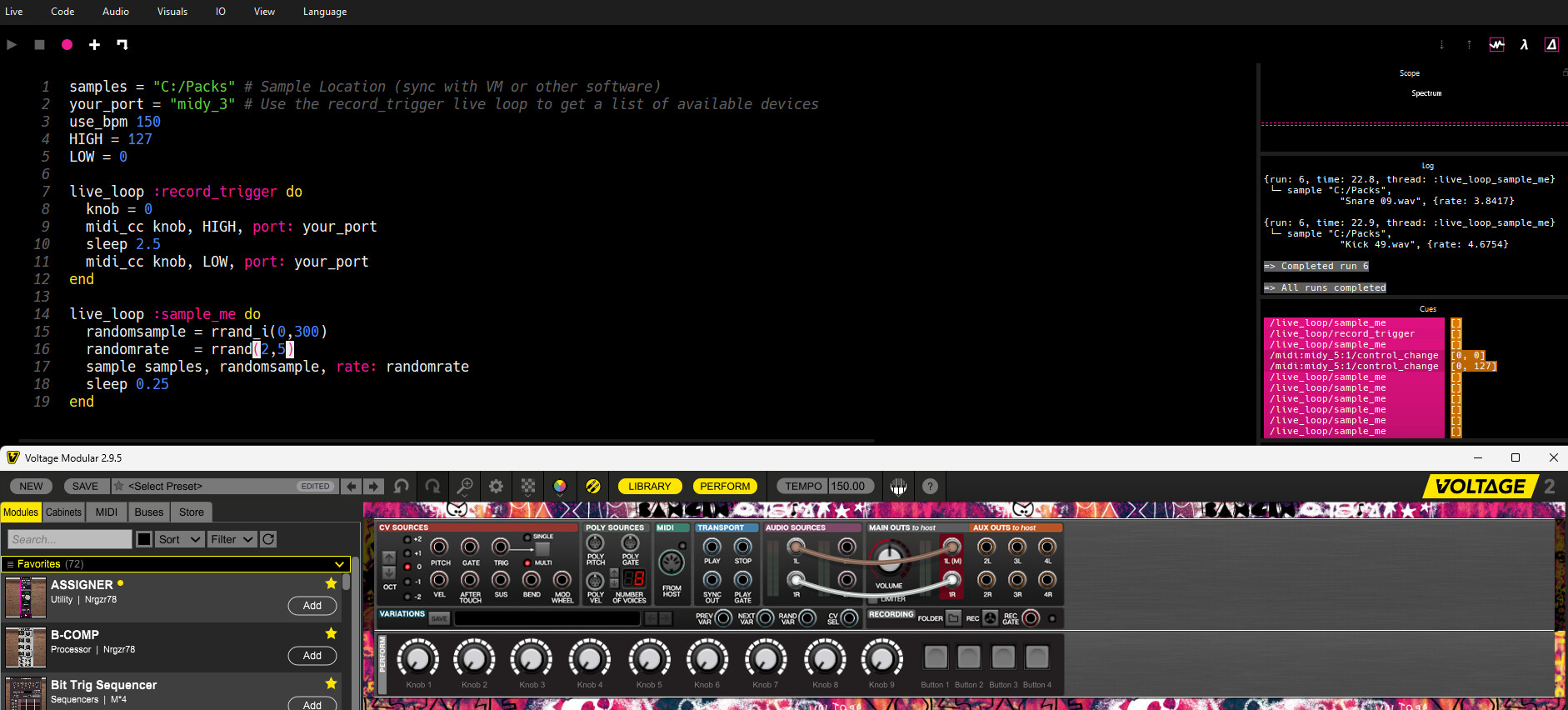
This might be the perfect sweet spot for me. You can see the MIDI live loop is just triggering the record button periodically, and inside of VM, you can set the folders to sync up so that they get dumped into the same place. Obviously adding probability into the equation and even some FX (no matter how hard they drag the system down at times!) could make for more exciting performances and outcomes.
The output of Sonic Pi is just going directly into VAC, so VM is also being used to eavesdrop and record. Pretty convenient for a janky solution
samples = "C:/Packs" # Sample Location (sync with VM or other software)
your_port = "midy_3" # Use the record_trigger live loop to get a list of available devices
use_bpm 150
HIGH = 127
LOW = 0

live_loop :record_trigger do
  knob = 0
  midi_cc knob, HIGH, port: your_port
  sleep 2.5
  midi_cc knob, LOW, port: your_port
end

live_loop :sample_me do
  randomsample = rrand_i(0,300)
  randomrate   = rrand(2,5)
  sample samples, randomsample, rate: randomrate
  sleep 0.25
end
The only part that’s missing is file management, so to keep up with the janky spirit, I’d probably just make a tiny Python script do some of that. It doesn’t really have to sync up too well for me, provided it doesn’t pull something that’s currently running. That might be the real challenge
Yeah, that’s a really good point. I think the big demographic for it is either as a teaching tool (for both programming and music, which is awesome), or as a simple playground to mess around with. I don’t think it’s meant to be a serious music production tool that’s trying to compete with Max, Pd, SC, Csound, etc or even Reaktor, and I’d guess the devs would agree. On the other hand, I think any experienced music producer would have an absolute blast with it after a couple of hours of seeing how it works. Case in point, that script you wrote is fucking awesome, useful and turns some boring-ass samples into something new and interesting. Sure, you can do it in a bunch of other programs, but I doubt as quickly and easily.
Bunch of silly thoughts about the complexity of this stuff, read at your own peril
This is something I’ve been thinking about a lot lately - the complexity vs usability of these systems. As a hopefully demonstrative aside: C is the most powerful programming language commonly used today - if you can do something with a computer, you can do it in C. And it’s ‘simple’, there are 32 keywords in the whole Standard. The problem is it leaves everything else to the mind of the developer. From an audio standpoint you have a chunk of memory with a bunch of numbers representing frequencies and that’s it. You can do anything you want to them, but you have to figure out what and how.
By contrast, C++ takes all that functionality and wraps it in nice, pre-packaged, common use things - instead of raw pointers, you have smart pointers. Instead of figuring out how much memory you want, you have new and free. Inheritance, polymorphism, etc. It all shits out the same machine code, but it gives you easy shortcuts at the expensive of having to learn and manage all these massively complex options they’ve given you.
Along those lines, Pd has hundreds of objects where Max has thousands. Max has like six ways to play a buffer - they’re all very similar under the hood but take different in/out/params that make them useful in different situations. Cool, except now I have to know those six, understand their differences and when to use which. Discounting gen~, I think Max and Pd mostly do the same things, but like C, Pd requires you to stitch together what you want to do from very basic objects. There’s power and flexibility there along with the overhead of thinking about how things work at a low level. Same with Reaktor/Blocks/Core. Sonic Pi would be closer to something like PowerShell - great in it’s small, simple domain but rough to use outside of it. You could probably lump FL’s Patcher, M4L and some of Bitwig’s tools into that bucket as well.
That’s not a judgement of any of them, it’s just an accounting of the work it takes to get sound out and the different overhead and pain points.
From what I can tell, Supercollider is soundly in the Max camp - very powerful in that it exposes a lot of inner workings, but it’s got a ton of commands wrapped in a kinda non-standard syntax and multiple ways to get the same outcome. Sonic Pi is great because if you have experience with Python or Lua or PowerShell, it’s going to look immediately familiar. SC doesn’t seem to share that continuity. The more I read the SC docs, the more it reminds me of Max but programmatic/text-based (which obviously loses the graphical immediacy of the visual programming but at least you get easy loops and conditionals).
I think the real question is whether SC gives you something you’re missing. Is it worth the slow, painful process of learning the basic syntax, learning to make a sound, deal with arrays of notes, how it generates and modifies data, how to build a complete system that does all the stuff you want, all the ins and outs that visual languages and front ends help do away with. Maybe it is - just browsing through the documentation I’m not coming up with anything it doesn’t do. But it also seems a bit like starting from zero and it might be a while before I’m making noises I like.
Probably worth pointing out that there are Python and Javascript clients/APIs which I guess saves the hassle of learning sclang, but I feel like you’re at the mercy of whoever implements those as to how and how well things line up. It’d suck to learn all the SC-python stuff only to find out there’s not feature parity with something you want to do.
I think it’s a clever and simple solution to a sticky problem. I mean, it was always just a step in your process. My whole thing was just extending/feeding back the process to see what came out (what did come out???), so I think janky is all good as long as it works and isn’t miserable to manage.
Since I’m really far out of the loop, do you think there’s anything interesting worth exploring when it comes to environments like Csound, Cabbage, Faust or ChucK?
I know very little about any of them, but I’m wondering if there’s something that kind of leverages the power of Supercollider with a friendlier syntax and structure; maybe like a slightly deeper version of Sonic Pi with some extra features, rather than an API with the entire kitchen sink in it.
I might just be wishing for something that doesn’t exist, and eventually come to realize that Supercollider is likely the thing I’m looking for, but all of this has gotten me thinking about what lies a little bit outside of my current scope, and I always love when that happens.
I’m probably not the person to answer this; I’m pretty out of the loop on a lot of this myself and sort of stuck in my ways (though this discussion has made me go looking a bit at what’s out there!)
I think the fundamental question to answer is what are you trying to do? Quick and dirty playground? Primarily MIDI/OSC control stuff? Audio processing? Synthesis? Writing full pieces of music in the environment? Just a little script the enhance other processes? All of the above?
And once you answer that - how much time are you willing to put into learning it? How are the docs? What external resources are available (community, youtube, forums, ie how hard is it to get a question answered)? Do you need to integrate into other programs/DAW and if so, how?
To my previous spiel, the more you want out of it, the more complexity you take on, either in having to navigate a large API (a la C++/Max/SC) or mental overhead of figuring out how to piece together what you want to do from the basic building blocks, Pd/C-style. That said, there’s no rule you need to learn or use the entire API. I think it’s completely legit to start small and expand out as needed.
My problem with everything you listed is they lack broad support and adoption, which means learning and getting questions answered is harder, you spend more time trying to figure out basic things, and there’s a higher chance of them being designed around the opinion of 1-2 people or drying up and disappearing with no updates.
This shit feels like web frameworks. There’s always a ‘new and best’ one popping up and then falling to the wayside, but if you’d just put in the work to learn the underlying tech, you wouldn’t have to deal with ‘new and best’ and could just create the exact thing you need.
If you just want the quick and dirty playground for toys and tools, I think you pick whatever. If you have loftier goals, my choice would be install Pd (since Max is off the table due to cost) and Supercollider and spend the time learning them. They both do mostly the same things, but one excels where the other lags. They can talk to each other without much work (via OSC and VAC) and I think between them there’s not much you can’t do.
“Supercollider is likely the thing I’m looking for”, or, My Case for Supercollider: A Manifesto ™
I’ve spent the last couple days diving into SC since we started talking about it. My preliminary findings: It is vast. It is weird. It can do all sorts of things. It has some strange limitations. It sucks in the same way that every open source project does in that it’s on hobbyists/zealots to update it (and yeah, these SC people are zealots, but there’s a lot of them and they’re really smart folks). It has some outdated synth implementations and the language is based on Smalltalk (which is pretty weird in this day and age but enables a bunch of SC’s coolness). It’s possible to create complete songs in it programmatically.
I’ll start this by saying (for the nth time) that, in my opinion, Max is probably the best and most complete audio ‘coding’ environment, likely because it’s not FOSS - there are people putting food on the table and sending the kiddos through college on the back of a working program that constantly pushes boundaries. But from experience, where Max (and Pd) falls down and hits its head is when things get large and complex. Nested subpatches containing multiple gen objects doing all sorts of crazy things, it becomes an impossible-to-follow spaghetti mess that when you open it a year from now, it’s a day’s work just to figure out wtf it’s doing. That’s the opposite of fun and productive.
SC seems to have pretty good feature parity with Max. It lacks the intuitive visual thing, but it’s straightforward, procedural, self-documenting code. A year from now, I read it top to bottom and know what it does and how it works, even if it’s 5k lines (tbf, most SC code looks to be around 200-300, they’re compact little dudes). It was maybe more work and less intuitive to write than the Max patch, but it lives on better and is easier to add to or refactor. Same(ish) power, more upfront development, potentially easier in the long run to extend or reuse.
The Smalltalk thing is critical to SC, to the point where it’s probably worth reading the Wikipedia article on Smalltalk if you’re not familiar. Two key points - everything is an object (in an OOP-sense) and objects communicate via messages, not directly.
The object part means that if you type 4, SC dynamically interprets that as an int object, and ints have methods. So 4.squared means “take the int 4 and apply the squared method to it”. Everything in SC is like that. Luckily the docs are good, the in-IDE help is good and it’s not hard to figure out what methods an object has and what parameters you need to pass to it. The majority of SC coding looks to be finding the right base object and filling it with parameters, then stitching them together via events and composition.
Simple example: loading a sound file into a buffer
// Read a sound file from disk into a buffer
s.boot;  // make sure the default audio server is started
p = ExampleFiles.child;  // ExampleFiles helps locate audio files used in examples
p.postln;  // peek at the path to see location and the format of a path

b = Buffer.read(s, p);  // read the file
A bit more convoluted than Sonic Pi, but nothing too crazy if you just look up the definition of Buffer. Now you have a buffer in memory you can play, edit, granularize, put through a synth or effects, whatever.
The message bus is the other key - it means you have these objects sitting in memory passing data via messages between them, but the message bus is dynamic. So you can interrupt it at any time, and if you change an object, it starts sending different messages. Bam - instant live coding without any setup or overhead just from how the language is structured.
SC has been around for 25 years and while it isn’t ProTools level of adoption, it seems to have been in development and use by academics and professionals for that whole time. It has an active forum, books, lots of answers on the internet, written and video examples and guides, more so than any purely programmatic alternative I’ve seen. I don’t think it’s going anywhere and you can usually suss out an answer with a simple search if you hit a wall. That’s huge, in my experience.
Eli Fieldsteel has a youtube channel that dumps his online college class videos for SC. Seems to be widely regarded as the best way to get started. I’ve watched the first two and he’s a great instructor.
Again, I don’t think you need to read the manual start to finish, you don’t need to know all the things because it does so much. You learn the thing you want to do, and the rest is there waiting for you if and when you need it. Fieldsteel even says in one of his early videos “I teach this stuff for a living and don’t know what 80% of the methods do”.
In researching it, I’ve also come across this guy, Nathan Ho. Former SC dev. Makes cool, weird music. Has a blog (nathan.ho.name) and a youtube channel (@synth_def) where he talks about and makes music entirely in SC. This dude is the out on the cutting edge of SC from what I can tell and really showcases the power of the environment.
Crazy algorithmic system here (the last sound clip is the real gem when you realize it’s completely procedural based on the three rules):
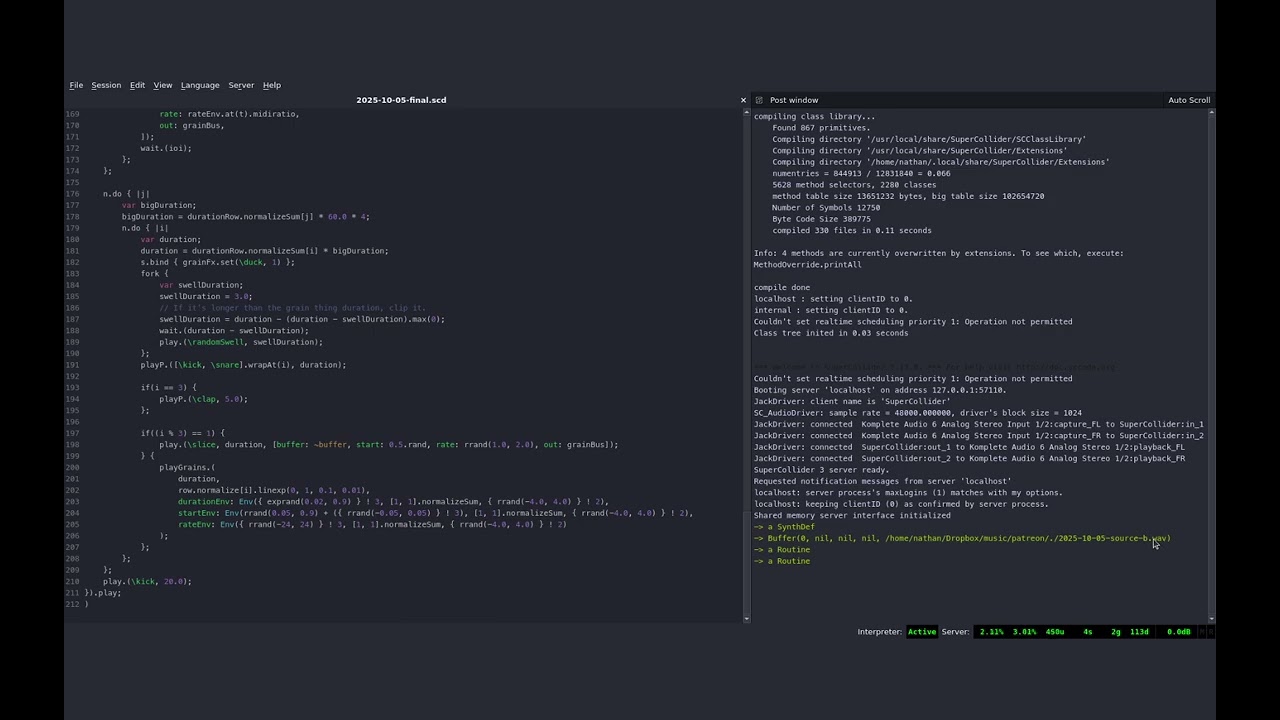
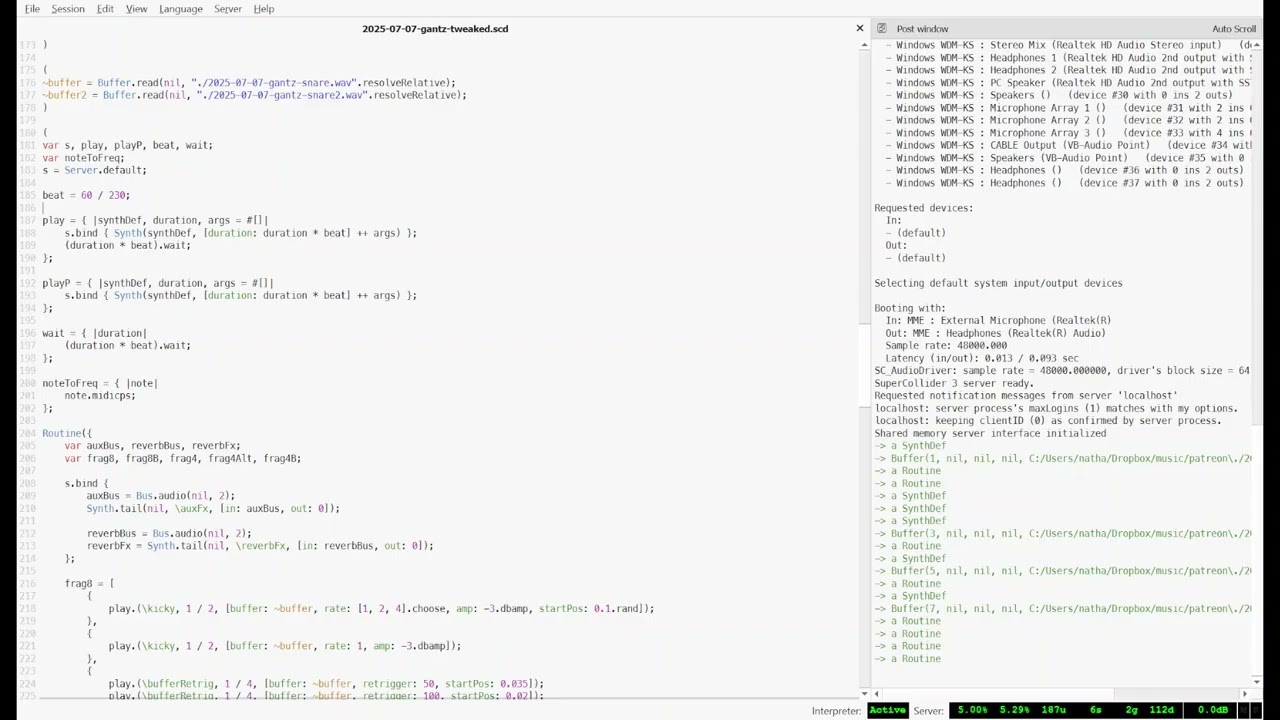
I don’t know what the hell is going on here but that’s ~200 LOC:
Spittin’ fiery truths about music that both shame and motivate me:
This is pretty much where I’m at, too. Sometimes all it takes is a small set of limitations to realize there’s actually more out there (way more, obviously, but probably something with a little less abstraction for starters), and suddenly it turns into an answer worth looking for.
I’m finding this out pretty quickly, too. They usually have a nice ‘official manual’, but with price tags ranging from $60 to over $150, I’m sort of considering some FOSS to actually be the cheaper option, but not always the one free from expenses. Learning from scattered resources is certainly doable, but it’s often a crapshoot.
Absolutely this. My biggest hangup is having never actually learned C, and SClang being a syntactically close-cousin, but it might be worth the investment (for me) to just knuckle down; a few hours here and there can very likely add up. ChucK and CSound sort of look more along the lines of livecoding and modular toys, which I’m sure will be fun on a rainy day, but likely not the power tools that will actually get shit done when you need a proper solution.
I’ve got it installed, been writing some code, working through the examples and docs. It honestly feels more like Python or Javascript - dynamically typed so you’re not futzing with casting or type confusion, interpreted so you get real time evaluation and don’t need a compile toolchain, and so far the biggest roadblock is just understanding how the system wants you to think about things. The implementations make a lot of sense once I work through them, it’s just a different mindset from how I usually approach coding.
The lowest level block seems to be a UGen (unit generator), which SC defines as anything that does “calculations with signals”. What’s really cool about them is you can instantiate them as audio or control signal processors (.ar or .kr), so there’s no difference between a synth and LFO except one is doing audio and one is doing control; it’s the same thing under the hood. That’s a really neat way of approaching it and I can see the flexibility.
If I had to sum up my experience (and I want to stress it’s very limited) thus far, I’d say it feels like a CLI for a DAW - using synth: Serum:> wave: saw, freq: 750, a: 10, d: 50, s: 20, r:0 or something silly like that. Which, lets be honest, it exactly the sort of ridiculous shit we’ve been chasing lol. It’s early days learning and messing around, but I think I’m understanding the appeal.
At the very least, it’s free and I guarantee I’ll approach making sounds in SC with a totally different mindset than visual programs or DAWs.
I’ve been seeing this quite frequently when attempting to go just a little deeper with audio; I think a lot of the ones I mentioned are actually patterned after SC, so they end up with that influence and try to make things as modular and patchable as they possibly can. I’m really liking how I’m able to use ChucK for starters, but I know I’m eventually going to want to just knuckle down on Supercollider as well, once I run out of steam in more higher-level places. Somehow I like to exhaust my options with the toys before I check out the power tools, just because the immediate results kind of fuel whatever stupid ideas I had in mind . Looks like I might even have file system access with this route, too, so it might be one of those janky solutions that I use for a while.
Also, you hit the jackpot with Synthdef. It’s crazy how uninspiring a lot of the example code is, and yet this guy seems to have mastered it to the point of designing incredible sounds and outright songs with it. I’m surprised he isn’t more popular, and his opinions are pretty solid; although, I really do think getting lost in the tools is sometimes the best way to find new inspiration. I’m riding the wave right now, and it feels like it means something again, so that’s never a bad thing.
I’m really excited to see what you make with it, too!
I think it’s fair to say I summarily dismissed a shitton of environments under the header of “not Supercollider” and likely tossed some babies with the bathwater. I stand by that assertion for all the previous mentioned reasons, for everything except ChucK - I looked at it a bit and honestly couldn’t find anything to poo poo, except looking at it coincided with discovering the depth of SC resources and that maybe sclang wasn’t going to be that hard to get into. I haven’t used ChucK so I can’t really say anything about it except it looks like it’s got a lot of great features. I’d love to hear your thoughts on how it works!
I agree, and if I’m reading him correctly, I think Nathan does as well. What I think he’s suggesting, and if so I agree with it, is that inspiration is relatively cheap for a lot of people. Artists get ideas all the time, and in this day and age there’s a million ways to chop and scramble sounds to get something inspiring (as you so deftly demonstrated with Sonic Pi in your video). But inspiration is a starting point, not the final track, and what I take from his essay is that it’s the composition and details and choices and hard work that transforms inspiration from a bucket of sounds into something tight and distilled that better represents the thing that initially inspired you.
The first thing you do is rarely the end of it. Whether it’s modular or Pd or SC, you don’t set a thing up and hit record for 3:25 and then post it to youtube. You chop it up to get the good parts, you layer and add to it, you EQ and automate and mix and all the other things that takes the initial output and makes it ‘yours’, and that’s the work I believe he’s talking about - it’s either upfront work you do in the program itself or after the fact in a DAW, but it’s not free, and that work is what defines the output, potentially more so than the initial inspiration.
What I took from him was that if you spend all your time working at being inspired but no time doing the hard work of iteration and refinement, your art will likely suffer for it.
At least that’s my take on it, maybe I’m blowing stinky smoke out my butthole.
What’s crazy about him though (from what I could tell) is that his output is just being recorded straight. I definitely prefer the workflow you’re talking about the most, but he’s got the performance aspect down. I think that’s also another way to enjoy certain environments; performatively, so that everything you do is within those limitations. And then you can chop and cut the good parts later for making ‘real’ music out of