Careful of the sizings. Those mofos are larger than most gfx cards and need more space in the case. And more power connectors too.
i am doing a ryzen 9 build.err i was.buuut no stimulus so dunno.i do have a wishlist on newegg.
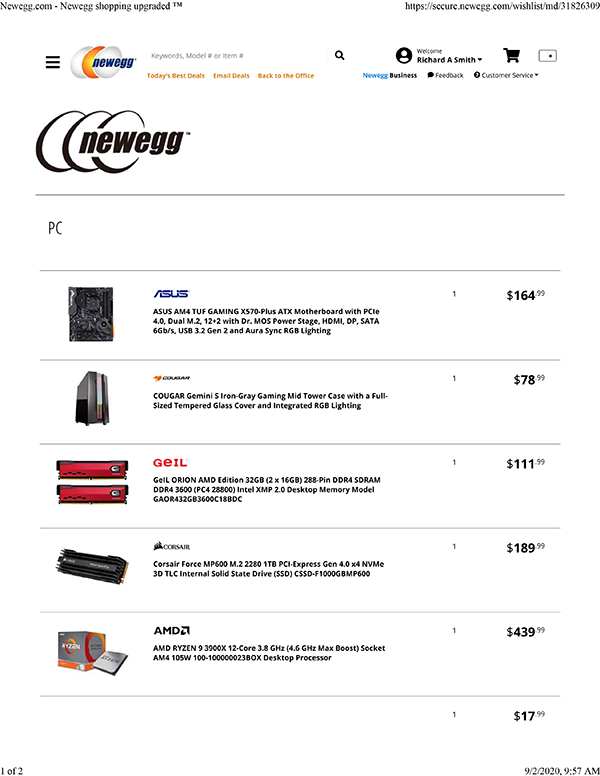

someday!
1 Like
No worries, I’m using a pair of 8-pins as it is and I have a Dark Base Pro 900. Tons of space in there for graphics activities. I’m going to wait a few months for driver maturity and see if prices don’t dip a bit for the holidays (I doubt it but who knows?).
1 Like
Nice motherboard choice! IDK why but I always seem to end up with an Asus TUF board when I look around for price vs. feature set. I think I and all my friends have been using them for like 6 or 7 years now.
1 Like
Its pretty crazy how accurate some of the leaks for the RTX30 series were. People didn’t believe a lot of them at first. Leaks are looking promising for AMD’s next lineup in Nov too.
Also Nvidia partnered with Samsung for this series instead of TSMC, and TSMC is years ahead of Samsung (presumably this is part of why the RTX30 series are power hogs). AMD’s new GPU is gonna be with TSMC, so could be very promising.
Regardless, this is the GPU generation I’mma get in on for sure, either 3080 or AMD’s equivalent. Been wanting a good workstation GPU and I’m glad I waited.
people are selling 2080Ti’s for $600-800 on ebay rn, but I’d just get a 30 series card
Almost the whole 20 series is going to drop in value by half
Aye and I know people who have been waiting for exactly that 
1 Like
bingo!
So even if you’re an Nvidia loyalist and want in on the new generation of GPUs, I’d wait for AMD’s ‘big navi’ GPU coming in Nov. Some leaks today revealed that there’s supposed to be a 16GB version for $550, if that’s true I bet Nvidia will drop a 3080ti with 20GB of vram, or maybe even a 3070ti with close to the same vram as big navi.
I’m in the market for a new rig. Still running my original from 2017, it’s getting a bit long in the tooth now.
Not interested in gaming so much anymore as I have no time for it, so i’m looking for a budget PC with high CPU and RAM spec.
Alternatively, i do have a good Gen 12 i7 laptop that i could use for production, im just a bit dubious about sample referencing. My sample library spans several HDDs which i would need to be able to access. Has anyone done a good high spec external hdd or even NAS for sample libraries? Im wondering if thunderbolt is ok for realtime sample data transfer into a DAW…
I could, instead of dropping $1000 into a new PC, turn my old rig into a big NAS server, change over all the drives to new ones in the process. My mobo is full size and has 2 NVME slots as well. But not sure if that will work well in a production environment.
1 Like
Honestly, I think if you’re looking for a system to murder music, it’d be a Ryzen system. I wouldn’t unnecessarily build a network computer or “server” system unless you’re concerned about backing up drives or have other needs for it outside of a limited amount of HDD. You can always just plug and play HDD’s to an external if you need access. However, keep in mind. The bottlenecks of your system speeds will also be amended by the cord, external unit and the HDD plugged in.
So while you have access to “x” speed, that can be nerferd. So don’t buy a slow unit or cord or at least keep that in mind. Plus, the mobo you buy will have pre-determined speeds. If you go new, at least go 3.2 USB. But also pay attention to speeds. You’ll find so many potential bottlenecks with external stuffs. If you go server and/or network, now those bottle necks could even be in the network. The router or even the WiFi, Etc.
Do you plan to build yourself or actually buy a system? What mobo do you have? If it was start of architecture, you may even be able to upgrade again but if you end of life budgeted, it may be a pure re-work. Your RAM may work now and be upgradable. Also, if you don’t need to instantly keep a 2nd system because “network/server,” you can save immediately on windows.
But then, if you upgrade or buy new Windows, you have to have min 32gig ram beacuse it’s a hog. I tried the newest windows and for no reason other than all of the background shit and effects it tries to put on you, it’s hard on 16 gigs of ram.
Crazy thing, I built mine in 2018, with a Ryzen 5 2600 and music is no problem but it is starting to show its age in gaming because studios have started making use of cpu architecture outside of 4 cores. Plus if I was more up to date with even 32 gigs of ram, I’d see an influx on my renderings.
I did upgrade my HDDs recently and reboot my things there. And also upgraded my card to a new gen. But my CPU is a non-built in type.
Also, you can spare the external stuffs to other than a back up and simple transfer samples and files you don’t want to lose in the off hours you’re not around. Sure you’ll see bottlenecks depending on what you spend and put forward but off hour transfers should help horde anything you can’t lose.
You might even build a budget hi-speed backup computer for non-clouding stuffs. Or build images of your stuff. I do remember RAID systems being very good at holding over HDD failures.
1 Like
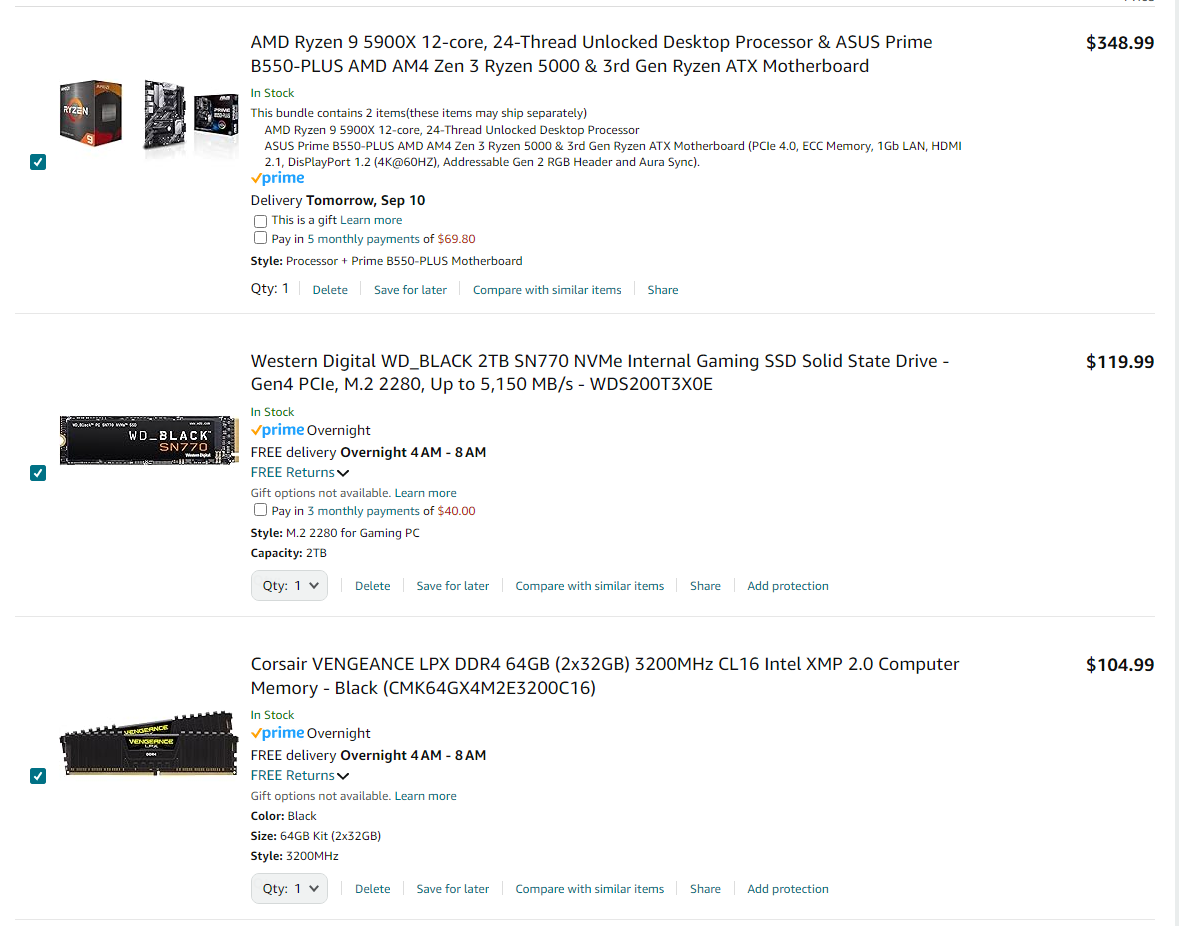
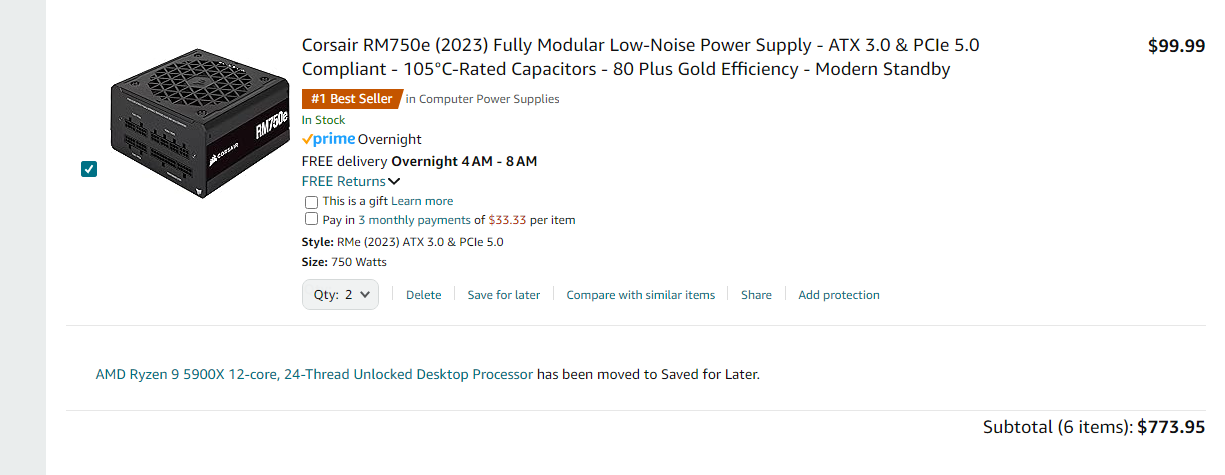
So yea, you’re probably right with $1000ish for the build. But if you can keep some HDD’s, you can keep even the PDU, as well as the Windows and not have to go full-bore on the RAM, that’s still an AM4 architecture. You could save a bit of cash. Still have to buy a case, but they can be cheap. Could probably save at least $250 in the vein of $1000. And then still even upgrade on things you see as dismal or buy an extrernal to xfr data, or both. These new SSD’s are sick as far as life-expentancy goes. But if it were me buying a new system, which i’m going to save for myself, this is one. Outside a case and cooling, I have my GPU, and I expect it to cool naturally. But I’m saving this as a barebone for my next build. Also, that’s from Amazon. It could be less.
I’m already hoping my PDU is upgradeable because I overbought cheapily there. =/ It is modular but I don’t fullly have faith it’ll fit my shit in the next year when I upgrade.
Also, last major upgrade, non-GPU was just FOUND by windows when i did it. So things aren’t always a re-format, new system issue now. That was nice.